
An endless canvas for agents. The block editor for clients.
Divine gives agents an endless workspace where pages and blocks can be reviewed together. Those same pages still sync into WordPress, so clients can open them in the block editor and make familiar content edits without touching the agent workflow.
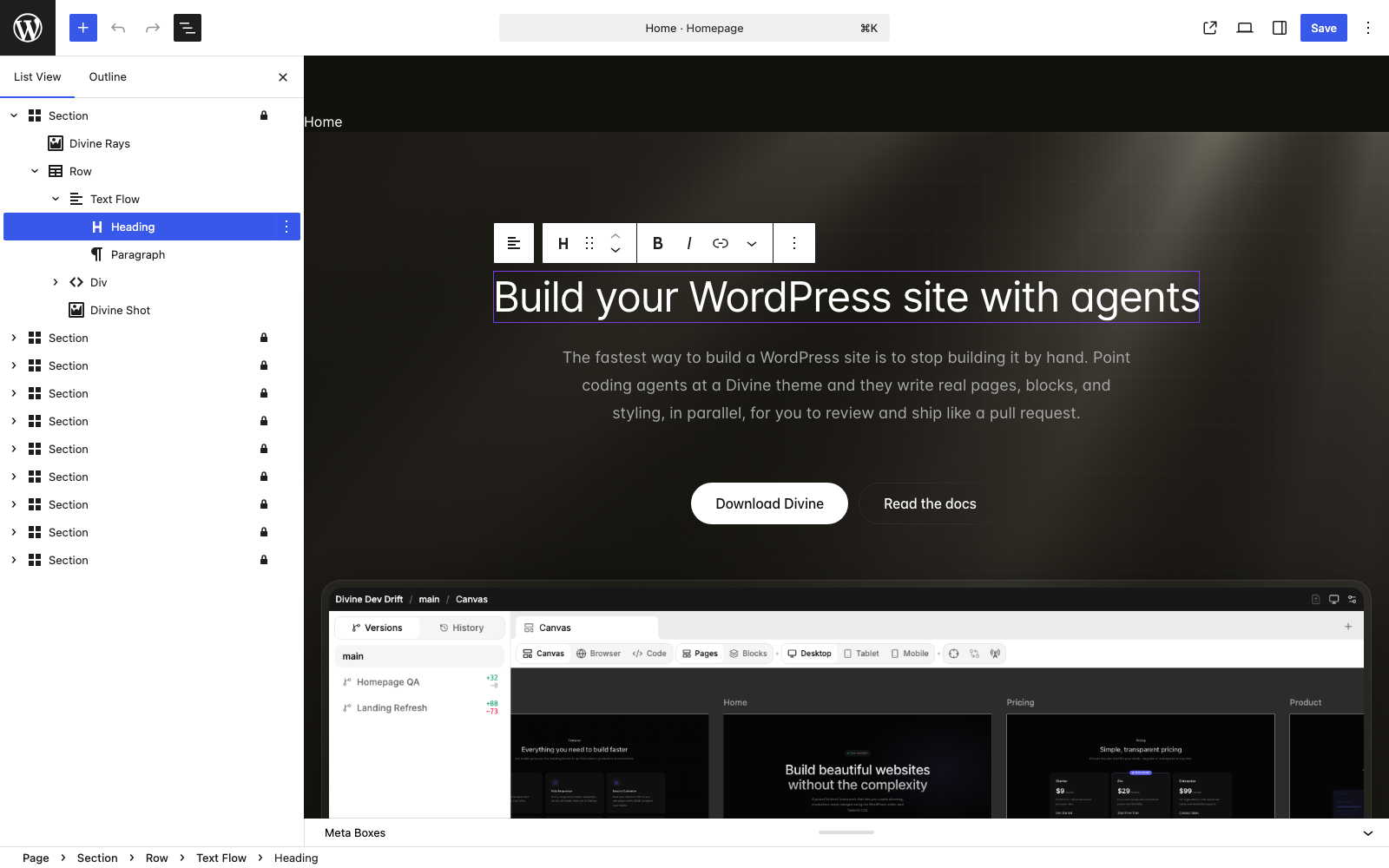
Readable page files become editable WordPress blocks.
Page files stay structured for agents and developers. The parser turns that source into theme blocks and UI components that WordPress can render in the editor and on the frontend.
Readable for the agent. Visual for the client.
Agents read and edit semantic page files in a worktree. Clients open main pages in the block editor and see the visual blocks they expect. Two surfaces, one source. When the worktree is merged, the page files become block editor pages on main.
					pages/divine/home/index.php

							<section>
					  <div width="wide" class="flex flex-col gap-14">
					    <dv-text-flow spacing="hero" class="max-w-5xl">
					      <h1 class="h1">Built to make coding agents...</h1>
					      <block name="divine-homepage/download-button" size="lg" />
					    </dv-text-flow>
					    <img src="assets/divine/images/divine-screenshot.png" class="image" />
					  </div>
					</section>

							→ editable blocks in the backend
WordPress stays familiar. Agents get the lane they need.
Divine adds an agent workflow around WordPress. It does not ask teams to abandon the publishing model, editor, templates, or frontend runtime they already depend on.
Blocks
Pages stay editable in the block editor for client content edits.
Templates
Theme templates and parts still control how WordPress renders the site.
Post types
Single and archive templates render any post type WordPress provides, the standard way.
Media
Images, fonts, and the media library work exactly as WordPress users already expect.
Publishing
WordPress remains the runtime that serves the finished site to the client.
Ecosystem
Divine works with WordPress instead of building a separate website runtime beside it.
What stays manual. What goes away.
Divine doesn’t move client work into a new tool. It removes the developer scaffolding that used to be manual, while keeping the human-friendly editor exactly where the client expects it.
Stays manual (and that’s good)
Visual content edits
Clients keep editing pages in the WordPress block editor with no new tool to learn.
Media library uploads
Images, files, and the media library work the way WordPress always has.
Roles and accounts
WordPress users, roles, and capabilities still control who can do what on the live site.
Stops being manual
Template scaffolding
Agents generate templates, blocks, and patterns directly from semantic page files.
Project config
divine.json, theme.json, and asset wiring travel with the worktree instead of being set up by hand.
Repeated block authoring
Agents reuse and adapt your existing blocks. You stop rewriting the same hero or card by hand.
Keep the WordPress contract. Add the agent workflow.
Readable files and editable blocks can belong to the same WordPress theme.